Morse Code Translator
Convert text to Morse code or decode Morse code to text
Plain text
Morse code
0 chars
0 signals
What is Morse Code?
Morse code is a communication system developed in the 1830s that uses dots (.) and dashes (-) to represent letters, numbers, and symbols. It was widely used for telegraphs and remains a fascinating way to communicate in emergencies, radio transmissions, and even creative projects.
With our Morse Code Translator, you can easily convert text to Morse code and vice versa, making it a valuable tool for learners and enthusiasts.
How Does Morse Code Work?
Every letter, number, or symbol in Morse code is represented by a unique combination of dots and dashes.
- The letter "A" is symbolized by .-
- The letter "B" is represented as -...
- The globally recognized SOS distress call is coded as ... --- ...
By using Morse code, communication is made possible even in situations where traditional methods fail, like during power outages or emergencies.
Morse Code Translator, Converter and Decoder in One
This page works both ways. As a text to Morse code converter, it turns English letters, numbers, and punctuation into dots and dashes as you type. As a Morse code decoder, it turns pasted dots and dashes back into readable text. Use the switch above the input box to change direction, then play the result as sound, flash it as light, or download it as a WAV file.
Morse Code Converter Features
- Converts English into Morse code as you type.
- Decodes Morse code into plain text.
- Plays Morse audio with speed (WPM), pitch, and volume, plus Farnsworth spacing and sound type.
- Shows a / between words, repeats playback with a delay, and can reset settings.
- Flashes a light with the signal in a lamp panel, and vibrates on phones that support it.
- Downloads a WAV file of the tones.
- Shares a link to your message so others can open the same translation.
Whether you’re sending secret messages, practicing for a class, or exploring Morse code as a hobby, this tool simplifies the process for everyone.
How to Use the Morse Code Translator
1. Translate English to Morse Code (Text to Morse)
- Type or paste English text into the input box.
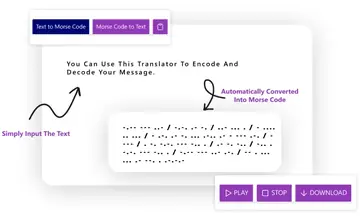
- The Morse code appears in the output box as you type, with a / between words.
- Press Play to hear it, turn on the light to see it flash, or download a WAV file.
2. Decode Morse Code to Text (Morse to English)
- Switch the direction to Morse to text, then paste dots and dashes (e.g., ... --- ...) into the input box.
- Put one space between letters and a / between words, and the decoder shows the plain text right away.
- Copy the text, or share a link that reopens the same message.
This step-by-step process ensures both beginners and experts can use the translator with ease.
How to Decode Morse Code by Hand
You can read a Morse message without any tool if you know where letters and words end. Short gaps separate letters; longer gaps (written as / ) separate words. Split the message at those gaps, then look up each group in the Morse code alphabet.
- Split at the / to get two words: .... . .-.. .-.. --- and .-- --- .-. .-.. -..
- Split each word at the spaces into letters.
- Look up each letter: .... = H, . = E, .-.. = L, .-.. = L, --- = O.
- Do the same for the second word: W, O, R, L, D.
- The message reads HELLO WORLD. Paste it into the decoder above to check your answer.
Morse Code Timing: Dots, Dashes, Gaps and WPM
Morse code is a rhythm, not just a pattern of symbols. Everything is measured in one unit, the length of a dot:
| Element | Length |
|---|---|
| Dot (dit) | 1 unit |
| Dash (dah) | 3 units |
| Gap between dots and dashes in a letter | 1 unit |
| Gap between letters | 3 units |
| Gap between words | 7 units |
Speed is given in words per minute (WPM). By convention the standard word is PARIS, which takes exactly 50 units including the gap after it. At 20 WPM you send 20 × 50 = 1,000 units a minute, so one unit is 60 ÷ 1,000 = 0.06 seconds (60 ms). The general formula is unit length = 1.2 ÷ WPM seconds. The translator above plays at 5–40 WPM.
What Is Farnsworth Spacing?
Farnsworth spacing sends each letter at full speed but stretches the gaps between letters and words. Learners hear the real rhythm of each character instead of slow, drawn-out sounds, and still get time to think between letters. Many people learn with characters at 18–20 WPM and an overall Farnsworth speed of 5–15 WPM, then close the gap as they improve. Set both speeds under Configure in the translator above.
Common Morse Code Prosigns
Prosigns are procedural signals sent as one run of dots and dashes with no letter gap. They are written with a bar over the letters, or as plain letters such as AR.
| Prosign | Code | Meaning |
|---|---|---|
| AR | .-.-. | End of message |
| SK | ...-.- | End of contact (signing off) |
| BT | -...- | Break / new paragraph (same as =) |
| KN | -.--. | Go ahead, named station only |
| SOS | ...---... | Distress signal, sent without gaps |
The History of Morse Code
Morse code was introduced in the 1830s, developed by Samuel Morse and Alfred Vail. Initially created for use with the telegraph, it enabled long-distance communication across vast regions, including oceans and continents.
Historical Highlights:
- 1838: The first message, “What hath God wrought?”, was sent using Morse code.
- 1851: The international version of Morse code was standardized.
- 20th Century: Morse code became a crucial tool for aviation, military communication, and maritime emergencies.
Even though digital communication has largely replaced it, Morse code remains an essential skill in certain fields.
Why Use Morse Code Today?
Morse code is far from outdated; its versatility keeps it in use across various domains.
Modern Applications:
- Emergency Communication: The universally recognized SOS signal is used in distress situations.
- Hobbyists and Amateur Radio Operators: Morse code is still practiced and used by enthusiasts globally.
- Art and Fashion: Accessories like Morse code bracelets encode personal messages in an elegant way.
- Education: Teachers use Morse code as a fun way to explain cryptography and problem-solving skills.
Text to Morse Converter and Morse to Text Decoder Tools
- Text to Morse Code Converter
Type any text into the input box, and instantly see its translation into Morse code. Ideal for creating messages or understanding how letters are represented. - Morse Code to Text Decoder Paste Morse code into the decoder, and let the tool quickly translate it back into readable text. Supports all valid Morse symbols.
- Audio Playback Play the tones at a speed you choose (5–40 WPM), with Farnsworth spacing and sine, square, sawtooth, or triangle sound. Open Configure for pitch, volume, repeat with delay, and reset. Press Random for a short sample, or Clear to start over.
- Light and Vibrate Flash a light in time with dots and dashes. On phones that support it, the device can vibrate with the same pattern.
- Download WAV and Share Save the tones as a WAV file, copy the result, or share a link that reopens your text in the translator.
- User-Friendly Interface A clean, responsive design ensures seamless usage on desktop, mobile, or tablet devices.
- Free & Unlimited Use the tool without restrictions—no signups, subscriptions, or hidden costs.
Learning Morse Code
How to Read Morse Code
- Each letter or number in the Morse Code Alphabet has a unique dot-and-dash pattern. For example, "E" is a single dot (.), while "T" is a single dash (-).
- Practicing with a Morse code chart or a listen-and-type practice drill can make memorization easier.
How to Write Morse Code
- Morse code can be written manually or generated digitally using tools like this one.
- Start with simple phrases like "HELLO" and gradually advance to complex sentences.
Tips for Beginners:
Focus on learning a few letters at a time. Repeatedly practice common words or short phrases to build confidence. Our beginner's guide to learning Morse code shows which letters to learn first and how to remember them.
| A | .- | B | -... | C | -.-. | D | -.. |
| E | . | F | ..-. | G | --. | H | .... |
| I | .. | J | .--- | K | -.- | L | .-.. |
| M | -- | N | -. | O | --- | P | .--. |
| Q | --.- | R | .-. | S | ... | T | - |
| U | ..- | V | ...- | W | .-- | X | -..- |
| Y | -.-- | Z | --.. |
| . | .-.-.- | , | --..-- | : | ---... | ? | ..--.. |
| " | .-..-. | @ | .--.-. | ' | .----. | ! | -.-.-- |
| 0 | ----- | 1 | .---- | 2 | ..--- | 3 | ...-- |
| 4 | ....- | 5 | ..... | 6 | -.... | 7 | --... |
| 8 | ---.. | 9 | ----. |
Why Use This Morse Code Translator?
This tool is more than just a translator; it’s an all-in-one Morse code resource. Whether you’re learning Morse code, using it for emergencies, or exploring its artistic applications, this platform has everything you need.
- Fast and accurate results.
- Beginner-friendly interface.
- Free, unlimited usage.
Start using the Morse Code Translator today and discover the fascinating world of Morse code!
Popular Morse Code Translations
Looking for a specific word or phrase in Morse code? Explore our most popular translations:
Frequently Asked Questions (FAQs)
1. What is Morse code?
Morse code is a system of communication that uses dots (short signals) and dashes (long signals) to represent letters, numbers, and special characters.
2. Can I use Morse code for emergencies?
Yes, Morse code is still effective in emergencies. The SOS signal (... --- ...) can be transmitted through light, sound, or tapping.
3. Is learning Morse code difficult?
Learning Morse code is simple with regular practice. Start with the shortest letters (E, T, A, N, I, M) and learn each one by its sound. The learn Morse code guide and practice drill make the process faster.
4. Is this translator free to use?
Absolutely! This Morse Code Translator is free, with no hidden charges.
5. Can I play Morse code as audio?
Yes. Type a message, then press Play to hear dots and dashes as tones, or Download to save a WAV file. Decoding Morse back to text works from typed or pasted dots and dashes, not from microphone audio.
6. How do I translate Morse code to text?
Switch the translator to Morse to text and paste the code with one space between letters and a / between words. The decoded text appears instantly. To decode Morse code drawn in a picture, use the Morse code image translator. To decode Morse you can hear, use the Morse code audio decoder.
7. What is the difference between a Morse code translator, converter and decoder?
They are names for the same job in different directions. A converter or encoder turns text into Morse code; a decoder turns Morse code back into text. This translator does both.
Adeel Waqar
Developer, MorseCode-Translator.com · Since 2022
Adeel is a software engineer who founded MorseCode-Translator.com in 2022. Over 3 years later, the platform has grown into one of the most trusted Morse code resources online, serving learners, educators, and enthusiasts across the globe in 10+ languages. The site also offers browser extensions for Chrome, Firefox, and Edge, as well as an Android app on the Google Play Store.


